
MultiKIS Smartphone Signage
Deliver content straight to smartphones using MultiKIS's patented distribution technology. No app download is needed — scanning a QR code is enough to display it (patent pending).
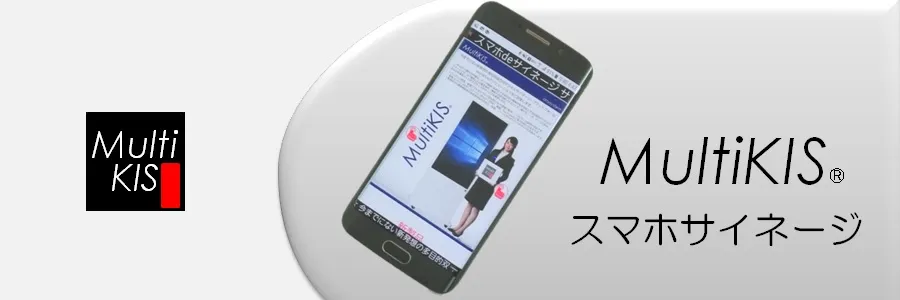
What makes smartphone signage different
No app to download
Scanning a QR code displays the content. It can also be opened by entering the URL directly, and works on tablets and PCs.
Manage delivery from a PC or phone
The management application runs on a PC or smartphone, and delivers web pages, images, PDFs, video and YouTube in real time.
Broadcast in an emergency
Disaster information can be pushed to every device at once. Three screens and ten content items can be scheduled by day and time.
Feature list
| Feature | Detail |
|---|---|
| URL management | Register and switch the URLs being delivered |
| Header & footer | Configure the header and footer of the display frame |
| Background music | Set the music played alongside content |
| PDF & video management | Upload and deliver PDF and video files |
| Transitions & page scrolling | Configure transition effects and scrolling behaviour |
| Schedule & screen management | Schedule 3 screens × 10 content items by day and time |
* Figures are drawn from published material. Please confirm full specifications in the catalogue.
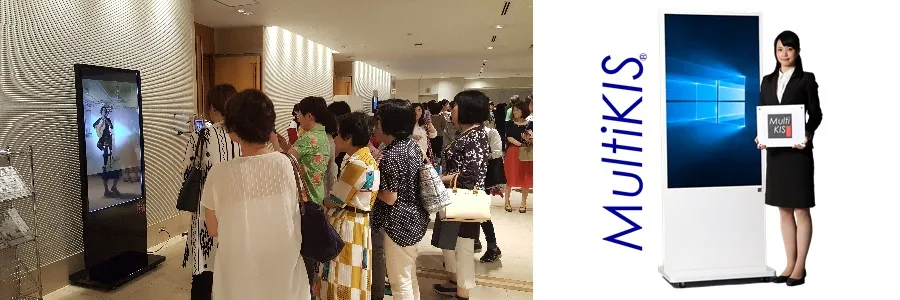
How it looks
From first enquiry to ongoing
maintenance, handled end to end.
AnySystem Co., Ltd. / Tel 048-430-7221(Weekdays 9:00–18:00) / Kamishin Bldg 1F, 1-26-4 Nishi-Kawaguchi, Kawaguchi, Saitama